
China implements standardized national internet security management system commonly referred to as the Great Firewall, setting differentiated access limitations for partial overseas websites and applications to maintain domestic cyberspace security. Core restricted services cover Google ecosystem products, mainstream Western social media and instant messaging software including WhatsApp, Telegram and YouTube, while localized Chinese apps like WeChat and Alipay run unrestrictedly on domestic mobile networks. Foreign tourists can use compliant VPN only for personal travel, communication and work purposes per local regulations; illegal network access activities are prohibited.
Need To Know
China Connectivity Setup
| eSIMBest for short trips | HK-routed travel eSIM |
|---|---|
| SIMBest local coverage | China Mobile tourist SIM |
| VPNInstall timing | Download, register, and test before arrival |
| AppsMust prepare | WeChat, Alipay, map app, translation app |
Traveler Internet Setup Recommendations
Traveler Type | Recommended Setup | VPN Needed? | Reason |
Short-term 3–7 days | International eSIM | Usually no | Quick setup, access Google |
Business trip | eSIM + VPN + Hotel Wi-Fi backup | Recommended | Gmail, Zoom, Slack |
Long-term stay | Local SIM + VPN + eSIM backup | Required | Cost-effective |
Family trip | One eSIM hotspot + backup VPN | Recommended | Multi-device sharing |
High-speed train | High-coverage eSIM or local SIM | Optional | Connectivity in transit |
Core Internet Option Consolidated Comparison Table
Option | Global App Access | Setup Location | 7-Day Reference Cost | Core Advantage | Best Suitable Crowd |
Domestic Physical Tourist SIM | Needs available VPN | In-person after landing | $8–$15 | Full nationwide coverage including remote mountain villages | Elderly visitors, users with old non-eSIM phones, rural/backpack travelers |
HK-Routed Travel eSIM | Direct access without basic VPN | Pre-install before departure | $6–$12 | No physical card, support hotspot for most brands | Young tourists, business & multi-country travelers |
Premium Paid VPN | 40%~85% fluctuating success rate | Pre-download & configure overseas | $0.8~$20/month | Backup access for hotel public WiFi & corporate intranet | Long-stay residents, corporate staff |
Home International Roaming | Full direct access | Default native mobile | $5~$15/day | Zero setup operation | 1–3 days short transit visitors |

Blocked & Accessible App List
Service | Usable on China Domestic Native Network | Supplementary Note |
Google Search / Gmail / Google Maps | No | Require HK-routed eSIM or effective compliant VPN |
YouTube / Facebook / Instagram / WhatsApp | No | Fully blocked under regular domestic operator data |
ChatGPT | Limited Access | Available solely via overseas routed network |
WeChat / Alipay / DiDi / Baidu Maps | Fully Available | China’s mainstream daily communication, payment & navigation applications |




Internet Options in China
Local Physical SIM
Best for travelers:Staying 7–30 days, need a Chinese number for verification codes
Advantages:
- Fast data speed, nationwide 4G/5G coverage
- Can receive local verification codes
Disadvantages:
- Google, WhatsApp, YouTube require VPN
- Purchase and registration may require passport
Travel eSIM
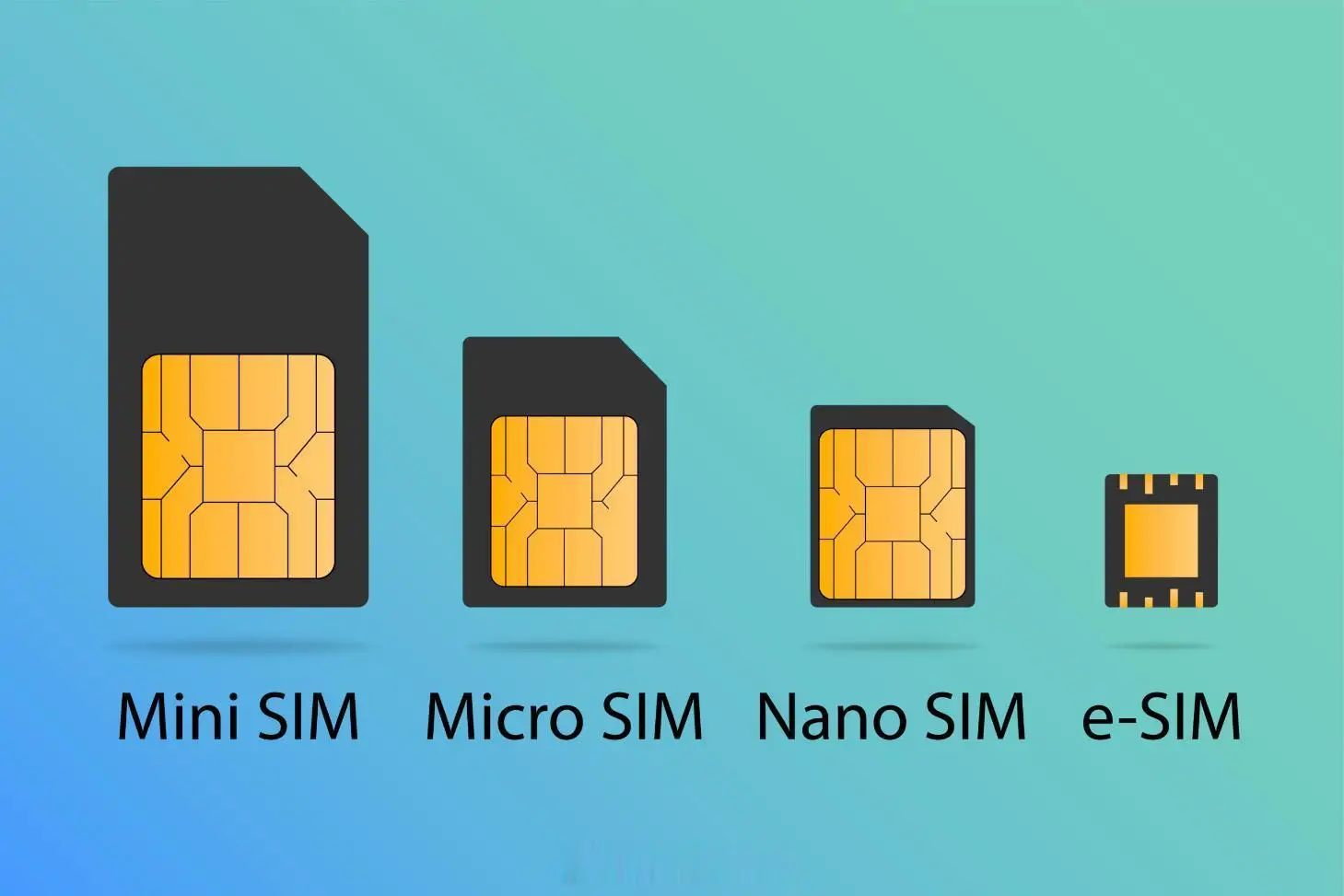
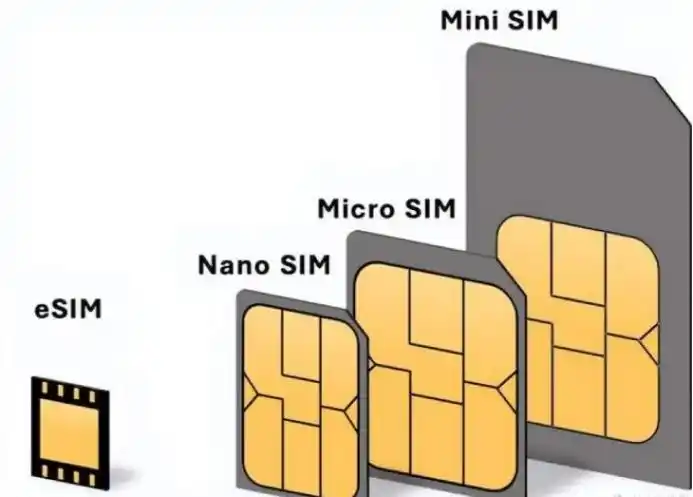
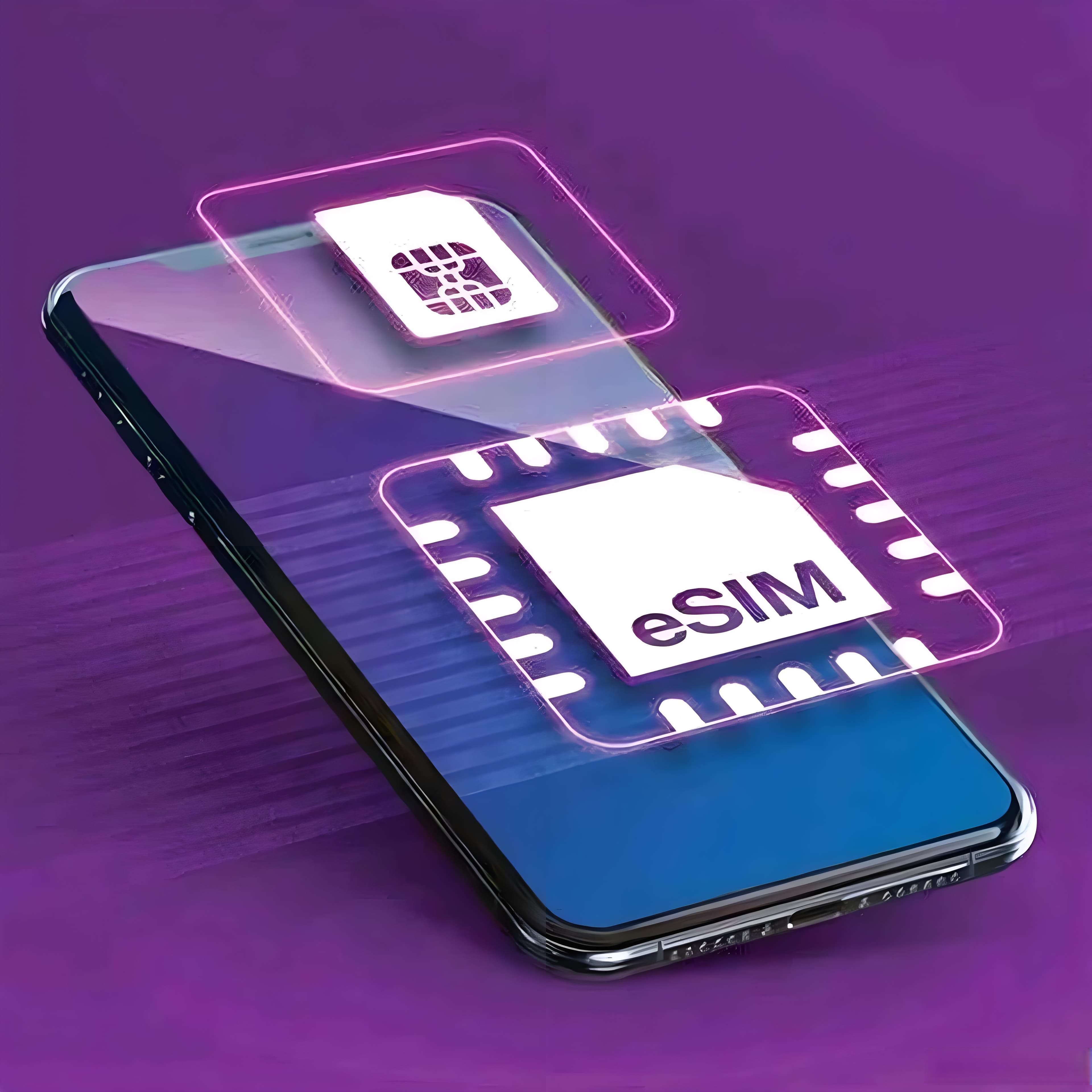
An eSIM is a digitally embedded SIM card installed directly on your phone or tablet, no physical SIM needed.
Best for travelers:Short trips and direct access to foreign apps(Google、YouTube、WhatsApp)
Advantages:
- No physical card, install via QR code
- International routing can bypass the Great Firewall
- Skip cumbersome registration
Disadvantages:
- Some eSIMs cannot receive local verification codes
- Slightly higher cost
Three Major China Internet Access Solutions
Option 1: Domestic Physical Tourist SIM
Three Official Chinese Telecom Operators Detailed Info
Operator | Network Coverage | Speed Performance | Tourist-Friendly Features | Best For |
China Mobile | Widest nationwide coverage; strong signals in remote villages, mountains and rural scenic spots | Stable 4G/5G speed; minor speed drop in ultra-isolated zones | Multilingual airport counter service, exclusive tourist prepaid plans | Backpackers, elderly travellers, off-the-beaten-path rural trips |
China Unicom | Premium coverage in tier-1 cities, coastal regions and high-speed rail lines | Top-tier urban 5G speed for video calls & real-time navigation | Simplified foreigner eSIM activation, flexible short-cycle data packs | City sightseeing travellers, business visitors, eSIM end-users |
China Telecom | Solid signal across southern China and underground spaces such as subways & shopping malls | Low-latency 4G connection ideal for instant translation | Cost-effective long-term monthly packages | Southern China inbound travellers, long-stay budget users |
Core Practical Tip: China Unicom prioritizes urban travel; China Mobile is irreplaceable for remote countryside journeys.
Step-by-Step SIM Purchase & Activation Guide
Step 1 - Choose Purchase Channels:
Buy offline at airport arrival halls, railway station service counters, telecom business halls and chain convenience stores, or pre-book via overseas travel platforms for on-site pickup; in-person purchase is recommended for free staff configuration guidance.
Step 2 - Prepare Required Documents:
Only original valid passport is needed per China real-name registration rules; Chinese ID or local residence permit is unnecessary, shop staff may record entry information free of charge.
Step 3 - Insert & Activate:
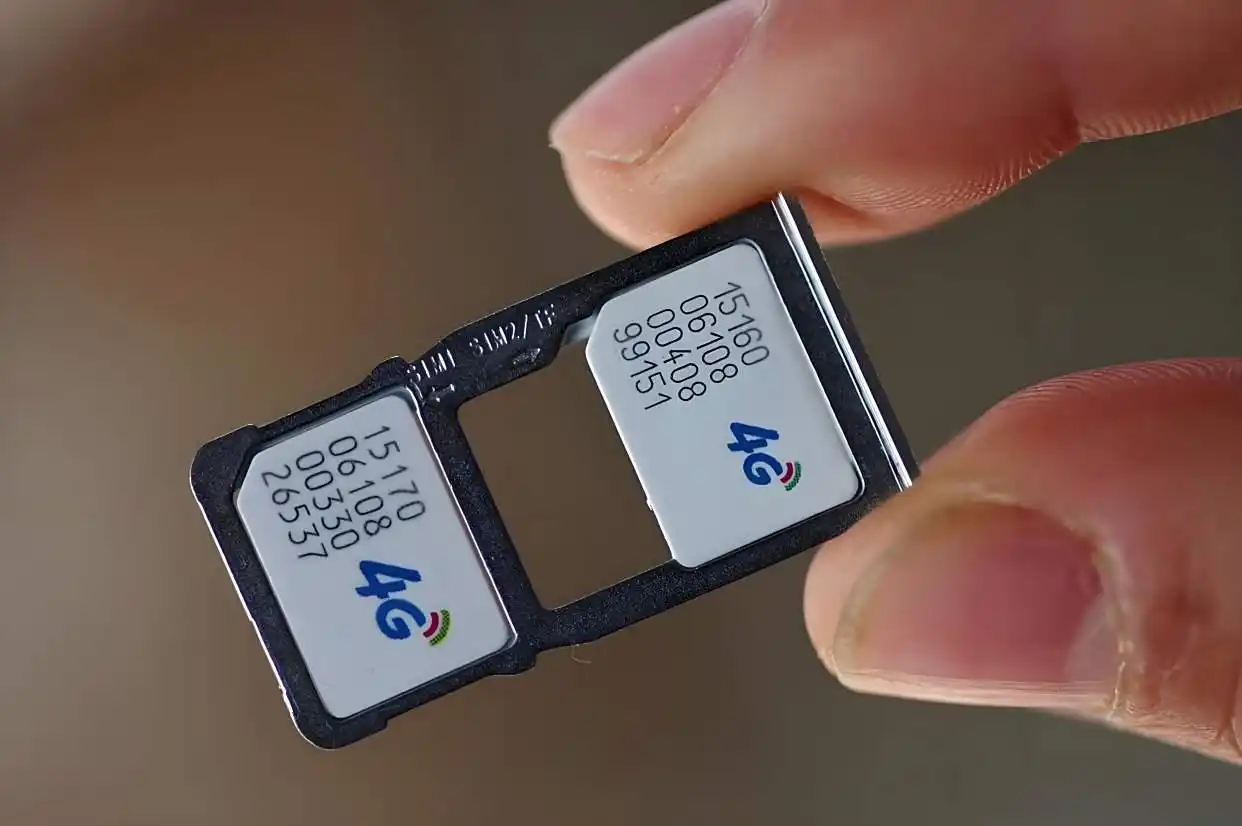
Replace original home SIM with tourist SIM; most cards auto-recognize domestic network after power restart, individual plans complete activation via free SMS within 1–3 minutes.
Step 4 - Select Suitable Data Plans:
Unlimited daily packages for 1–7 day short trips; monthly bundled plans combining data & domestic calls for stays over 8 days; avoid unknown ultra-cheap unofficial packages prone to speed throttling or sudden disconnection.
Option 2: 2026 Best HK-Routed Travel eSIM
Pre-check Device Compatibility
Only smartphones released after iPhone XS, Samsung flagship series and new-generation Huawei models with built-in eSIM chip support remote activation; old-generation mobile phones cannot use eSIM services.
Phone Compatibility: iPhone, Android, eSIM and Dual SIM
Before buying a China travel eSIM, travelers should check whether their phone supports eSIM, whether the device is carrier-locked, and whether hotspot sharing is allowed by the eSIM plan. Not all iPhones and Android phones support eSIM in the same way.
Device | eSIM Support | Key Reminder |
iPhone 14/15/16 International Version | Usually yes | Check if carrier-locked |
US iPhone eSIM-only models | Yes | Must buy eSIM before or after arrival |
Mainland China iPhone | Often limited | Many models do not support eSIM |
Samsung Galaxy International Version | Usually yes | Confirm exact model |
Google Pixel | Usually yes | Google services still need access solution |
Xiaomi / OPPO / vivo / | Depends on model | eSIM support is inconsistent |
Tablets | Some support eSIM | Check if data-only plan works |
A phone that supports eSIM in one country may not support the same eSIM features in another region. Always check your exact device model, region version, and carrier lock status before purchasing.
Top Recommended eSIM Brands & Specification Table
eSIM Brand | Available Data Specifications | Google Direct Access | Hotspot Support | Target User Group |
Airalo | 1GB–20GB (7–30d validity) | Stable | Yes | General leisure travellers |
Holafly | Cycle-based unlimited data | Unstable | Limited | Heavy domestic app users |
Nomad | 1GB–20GB (7–30d validity) | Stable | Yes | Budget backpackers |
Saily | 1GB–20GB (7–30d validity)
| Stable | Yes | Privacy-focused visitors |
Ubigi | Custom multi-country data | Stable | Yes | Global frequent business travellers |
Standard eSIM Installation Steps
Step 1 Purchase valid package from official cross-border platforms overseas and receive exclusive activation QR code after payment.
Step 2 Open phone Settings > Mobile Network > Add eSIM, scan acquired QR code to start remote configuration under unrestricted non-China internet.
Step 3 Complete loading process, set newly added eSIM as default cellular data line.
Step 4 Daily usage tip: Disable automatic network switching; manually lock primary carrier network during high-speed rail or mountain travel to reduce signal fluctuation.
Tips:Ensure the eSIM number can receive SMS verification for payments.
Option3: Verified Paid VPN Solutions
Three Category VPN By Practical Scenario
VPN Tier | Core Feature | Device Connection Limit | Applicable Crowd |
Premium Global VPN | Excellent domestic connection stability, optimized China server | 3-5 devices | Long-stay & corporate business travellers |
Travel-Specific VPN | Good stability tailored for short inbound trips | 2-3 devices | Ordinary sightseeing tourists |
Lightweight VPN | Basic temporary access only | 1-2 devices | Users requiring occasional Google access |
Five Mainstream Brand Real Test Data
VPN Brand | China Connection Success Rate | Average In-use Speed | Operation Difficulty |
Astrill | 75%~85% | 2–4Mbps | Medium |
ExpressVPN | 70%~80% | 1–3Mbps | Easy |
NordVPN | 40%~50% | 0.5–1Mbps | Easy |
Surfshark | 50%~60% | 1–2Mbps | Very Easy |
Proton VPN | 45%~55% | 1–2Mbps | Medium |
Universal VPN Installation Rules
All VPN software must be downloaded, registered and fully tested before departing home country; overseas app download channels are blocked within China, impossible to install after landing. Switch to Hong Kong/Singapore/Japan server nodes once logged in for optimal connection effect.
Scenario-Based Internet Matching Strategy
Urban Areas, Shopping Malls & Core Tourist Spots:
Select HK-routed eSIM or domestic tourist SIM paired with travel-specified VPN to guarantee stable navigation and ticket reservation.
Hotels & Homestay Accommodations:
Prioritize connecting complimentary hotel WiFi with enabled VPN to save mobile cellular data.
High-speed Rail & Long-distance Ground Transport:
Physical domestic tourist SIM is recommended due to superior signal penetration compared with eSIM on moving vehicles.
Remote Villages & Mountain Areas:
Only official China Mobile tourist SIM is recommended. Most eSIM and partial VPN services suffer frequent offline in underdeveloped rural regions.
Best Connection Solution Breakdown by Traveller Type
1. General Short-term Leisure Tourists: Airalo HK-routed eSIM + retain original home SIM for incoming calls & SMS
2. Digital Nomads over 1 Month: Primary HK eSIM + low-cost domestic China Unicom SIM as backup high-speed domestic data
3. Budget Backpackers: Nomad cost-effective HK exit eSIM with measured daily data consumption
4. Unlimited-data Demand Visitors: Holafly unlimited cycle eSIM for heavy Chinese local app usage
5. Long-stay over 3 Months: Local Chinese physical SIM + Astrill premium VPN backup

Map App Comparison for China Travel
Many tourists assume that once they can open Google Maps, navigation will work perfectly in China. In reality, Google Maps may have limited local data, outdated business information, and possible location offsets. This is especially noticeable when searching for restaurants, small hotels, metro exits, local attractions, or walking routes.
Map App | Best For | Pros | Cons |
Google Maps | Foreign tourists, saved places | Familiar interface | May have offset or outdated data |
Apple Maps | iPhone users / iPhone | Good English interface | Limited local details |
Amap | Local navigation | Accurate routes, metro, driving | Mostly Chinese interface |
Baidu Maps | Local POI search | Rich local data | Less friendly for foreigners |
Offline Maps | Backup | Works without signal | Limited real-time info |
Use Google Maps for saved places and general orientation, but use Amap, Baidu Maps, or Apple Maps for real-time navigation inside mainland China.
China Travel Internet Setup Checklist Before You Fly
Task | Why It Matters |
Buy and install your eSIM | Avoid airport setup issues |
Test eSIM activation instructions | Know what to do after landing |
Install VPN before arrival | VPN sites may be blocked in China |
Log in to VPN account | Avoid email verification issues |
Download offline maps | Useful in signal-poor areas |
Download WeChat and Alipay | Essential for payments and communication |
Keep original SIM active | Needed for bank and account verification |
Save hotel address in Chinese | Useful for taxis and delivery |
Bring power bank | Hotspot and navigation drain battery |
Troubleshooting: What to Do If Your Internet Does Not Work
Even with the right setup, travelers may still face connection problems. The key is to prepare backup options and know how to troubleshoot quickly.
eSIM Troubleshooting Guide
Problem | Possible Cause | Solution |
eSIM does not connect | Data roaming off | Turn on data roaming |
No signal after landing | Wrong network selection | Switch to automatic network |
Google still blocked | eSIM uses mainland routing | Contact provider or use VPN |
Hotspot not working | Plan does not allow tethering | Check plan terms |
Speed becomes slow | Fair use limit reached | Buy extra data or switch network |
VPN Troubleshooting Guide
Problem | Possible Cause | Solution |
VPN cannot connect | Protocol blocked | Switch protocol |
VPN connects but no internet | DNS or routing issue | Change server |
App store cannot download VPN | Access restricted | Install before arrival |
Gmail still cannot load | Server unstable | Try Japan, Singapore, Hong Kong servers |
VPN drains battery | Always-on connection | Use only when needed |
Local Apps Foreign Tourists Should Prepare
Accessing Google is only one part of staying connected in China. For daily travel, tourists also need local apps for payments, maps, transport, food delivery, and communication.
Essential China Travel Apps
App | Main Use | Notes for Foreigners |
Messaging, payment, mini programs | Account verification may be required | |
Alipay | Payment, taxi, metro, travel services | Often easier for tourists than WeChat Pay |
Amap | Navigation | Very accurate but mostly Chinese |
Baidu Maps | Local search and navigation | Rich POI data |
DiDi | Ride-hailing | Available inside Alipay in some cases |
Trip.com | Hotels, trains, flights | English interface available |
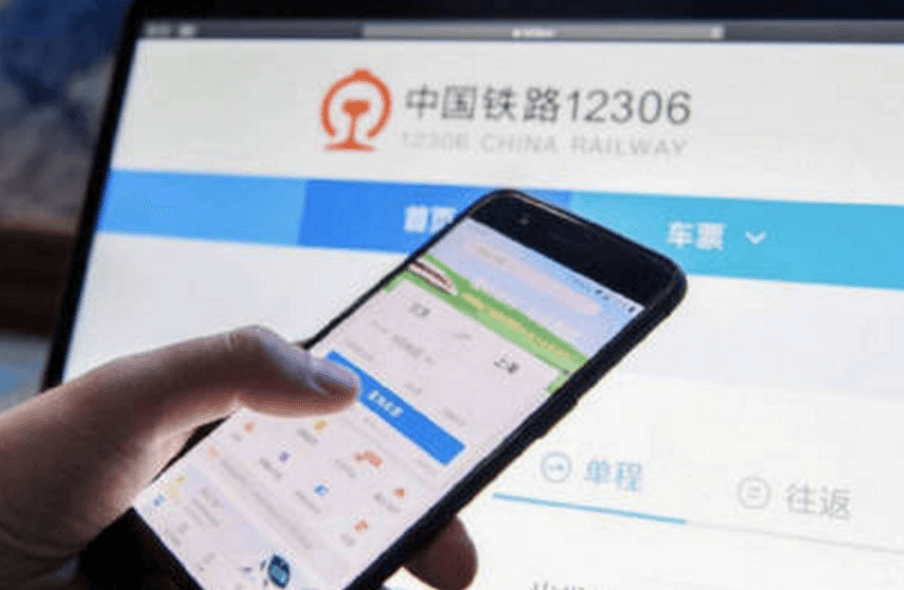
Railway 12306 | Train tickets | May be harder for foreigners |
Translation App | Translation | Download offline language packs |

Realistic Setup Recommendations by Travel Scenario
There is no single best internet solution for every traveler. The right setup depends on travel length, device type, budget, and whether you need Google or Chinese local services.
Scenario | Best Setup | Backup |
First-time tourist | International eSIM | VPN installed before arrival |
Business traveler | eSIM + VPN | Hotel Wi-Fi + second VPN |
Long-stay traveler | Local SIM + VPN | eSIM backup |
Family trip | Multiple eSIMs | One hotspot phone |
Budget traveler | Local SIM | Free Wi-Fi + VPN |
Heavy Google user | eSIM + VPN | International roaming |
High-speed train traveler | eSIM with strong coverage | Offline maps |
Multi-country Asia trip | Regional APAC eSIM | Local SIM by country |
Common Internet Misconceptions & Clarifications
- Misconception: I need a Chinese ID card to buy a tourist SIM/eSIM.
· Clarification: Only a valid passport (original or clear digital copy) is required for foreign tourists. No Chinese ID or local residence permit is needed.
- Misconception: All VPNs work in China, and I can use any VPN freely.
· Clarification: Only compliant, stable VPNs for personal use are allowed. Unlicensed or low-quality VPNs often disconnect frequently; using VPN for illegal activities (e.g., spreading harmful information) is strictly prohibited.
- Misconception: eSIM can be deleted and reused multiple times for free.
· Clarification: China single-country eSIMs are time-limited and non-reusable after expiration. Deleting an activated eSIM will permanently disable the plan, and reactivation requires repurchasing a new package.
- Misconception: Public Wi-Fi in China can replace mobile data entirely.
· Clarification: Most free public Wi-Fi (street cafes, small shops) has weak signals and high security risks. It cannot support stable navigation or video calls; mobile data/SIM is still a must for travel.
- Misconception: I can download VPN apps from Chinese app stores after arrival.
· Clarification: Overseas VPN apps are not available on Chinese mainstream app stores. All VPN apps must be downloaded and registered before entering China.


Practical Tips
• Tip 1: Preparations before arrival: Download and register VPN overseas. You cannot download overseas apps after entering China due to network restrictions.
• Tip 2: Data management: Turn on phone data monitoring to avoid extra charges for overusing data.
• Tip 3: Dual backup plan: For long trips, prepare both tourist SIM card and eSIM as backup against network failure.
• Tip 4: Wi-Fi security: Do not log in to bank or payment accounts on public free Wi-Fi to protect personal information.
• Tip 5: Troubleshooting: Most network lag, VPN disconnection and Google loading problems can be fixed by restarting your phone or reconnecting VPN servers.
• Tip 6: Airport/Port Instant Pick-Up: Major airports (Beijing/Chengdu/Shanghai) have official telecom counters at Arrival Halls (near Exit 5–8); staff speak basic English for quick help.
• Tip 7: Free Public Wi-Fi Risks: Unverified free Wi-Fi (e.g., street cafes, small shops) may have data theft risks; use VPN if you must connect.
• Tip 8: Offline Emergency Backup: Download offline maps (Google Maps offline/Maps.me) and translation packs before arrival for network outages.
Real Stories from My Clients
“A Canadian couple traveled to China in April 2026. They had no internet plan after arrival and could not use Google Maps for navigation. I helped them get a China SIM card for tourists and set up a VPN at the airport within 8 minutes, and they stayed connected for the rest of the trip.”
“A European business traveler bought Best eSIM China 2026 in advance but failed to activate it due to unfamiliar operation. I guided him to finish QR code activation remotely. With a matched VPN, he used Gmail to handle work smoothly.”


Troubleshooting
If eSIM does not connect, turn on data roaming and switch network selection to automatic.
If Google is still blocked, the eSIM may use mainland routing; contact provider or use VPN.
If VPN connects but internet fails, change server or protocol.
If app stores cannot download VPN, it is usually too late; install before arrival.
Final Advice
Reliable internet is the foundation for your China trip (China internet for foreigners / Stay connected China). Choose solutions based on your travel duration and devices: China SIM card for tourists is the best choice for short sightseeing trips, old devices and elderly travelers; Best eSIM China 2026 is recommended for multi-country trips, new smartphones and business visitors. No matter which plan you pick, prepare a stable VPN to bypass the China firewall and access Google smoothly. Complete all settings before arrival for a worry-free journey.







Traveler Discussions
Questions from travelers